
Features
Everything in MatiQ Thrive
Nine connected areas, one set of records. See how Thrive brings your team’s work together.
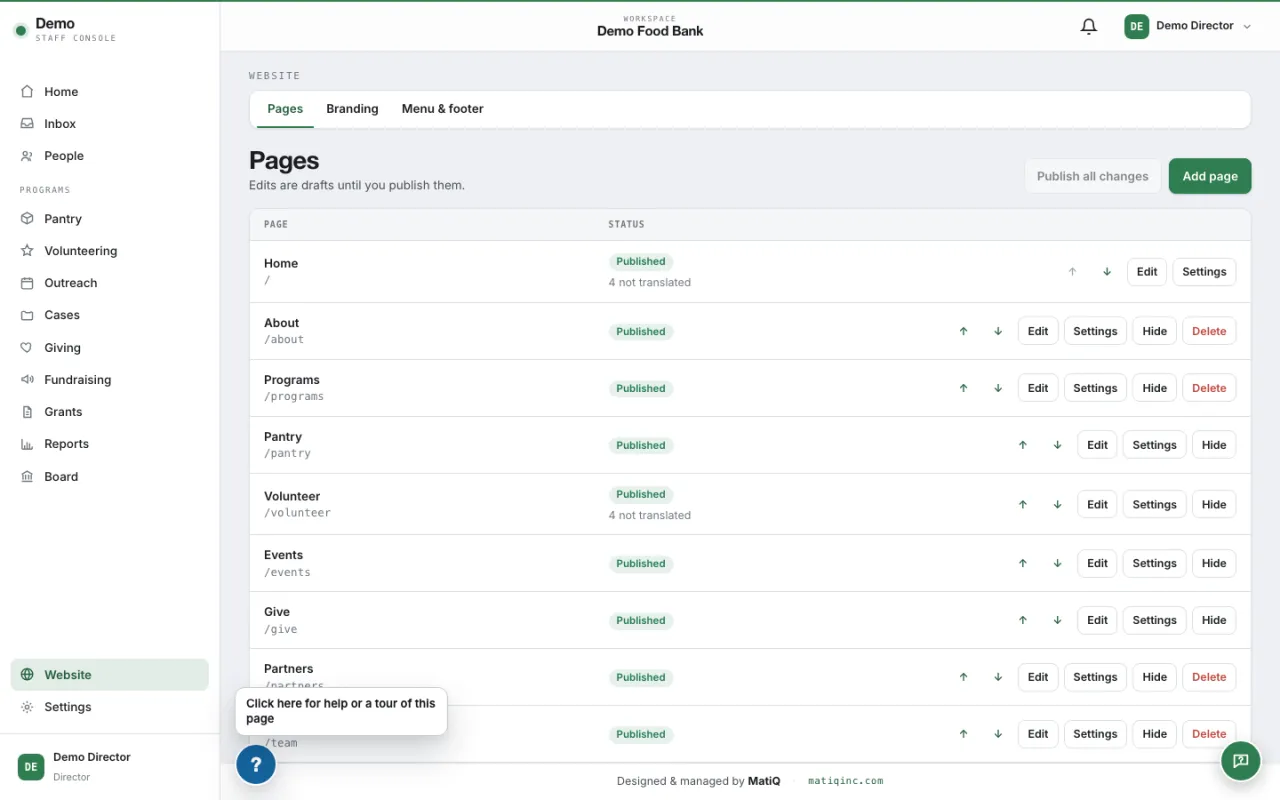
Website
Your public website comes with the product, and your own staff keep it up to date.
- A starter site on day one
- Signing up creates a complete website with placeholder content: home, about, programs, pantry, volunteer, events, give and contact pages that you rewrite as your own.
- Your brand
- Upload your logo and choose your colour palette. The whole site, the member portal and your emails take them.
- Edit without a web developer
- Change the text of any page, upload your own photos and videos to the media library, reorder sections, preview a draft and publish when it is ready.
- Add pages from templates
- Four page templates (program, story, content and landing) start a new page with its sections in place.
- Pages that show live information
- The volunteer page lists your open opportunities, the pantry page takes bookings, the events page takes registrations and the give page shows your Givebutter form.
- Two languages
- Every page can be published in English and Spanish, and visitors switch between them.
- Your own domain
- Point your domain at the site from the console. The product shows the DNS records to add, checks them and issues the certificate.
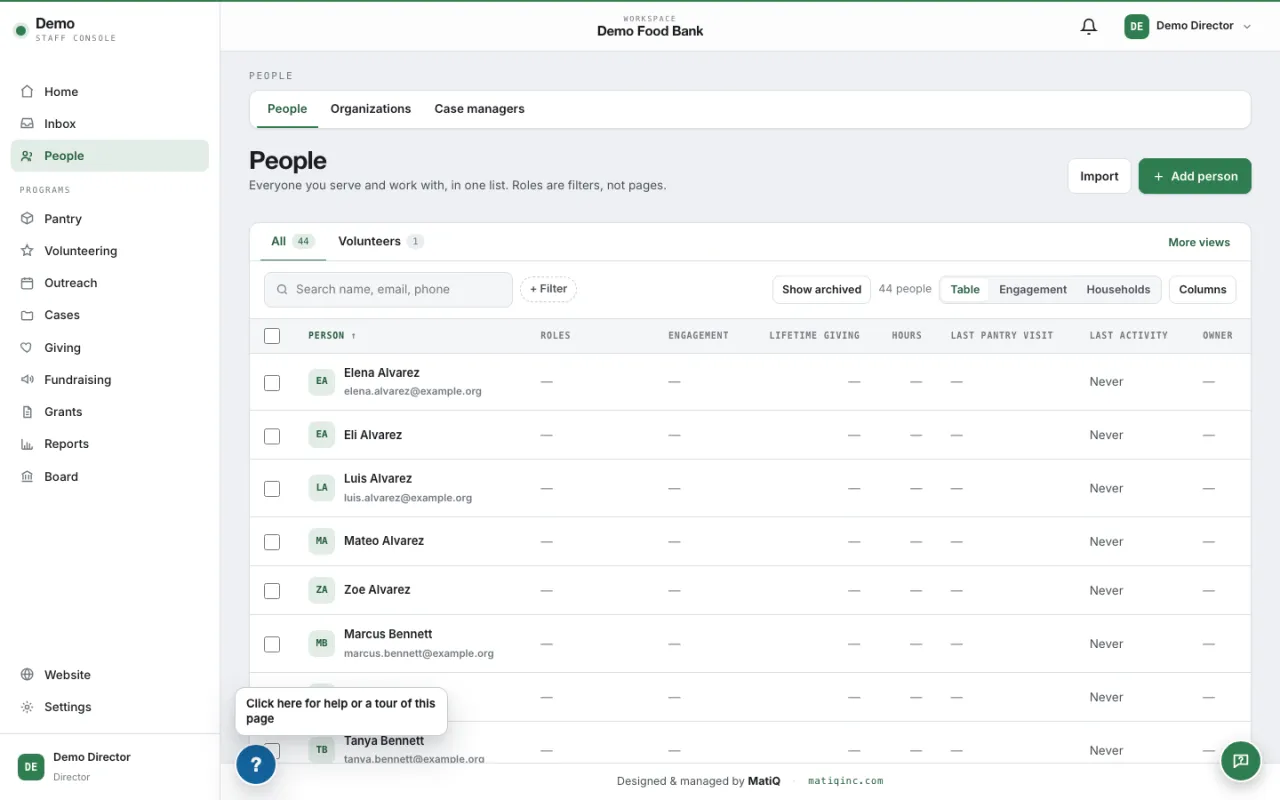
People
One record for each person and household, shared by every program.
- One profile
- A person's volunteering, pantry visits, gifts, event registrations, cases and messages are on one profile, with what each staff role is allowed to see.
- Households
- Households with owners and managers, children and other members. A parent manages their children's sign-ups from their own account.
- People without an email address
- Pantry guests, children and kiosk walk-ins are people too, without needing an account.
- Groups, organisations, tags and notes
- Record the groups and organisations people belong to, tag them, and keep notes.
- Clean data
- Possible duplicates are queued for review and merged without losing history. A data review screen lists records that need attention.
- Import
- Bring in people, households and donors from a spreadsheet, check the result before it is saved, and undo an import.
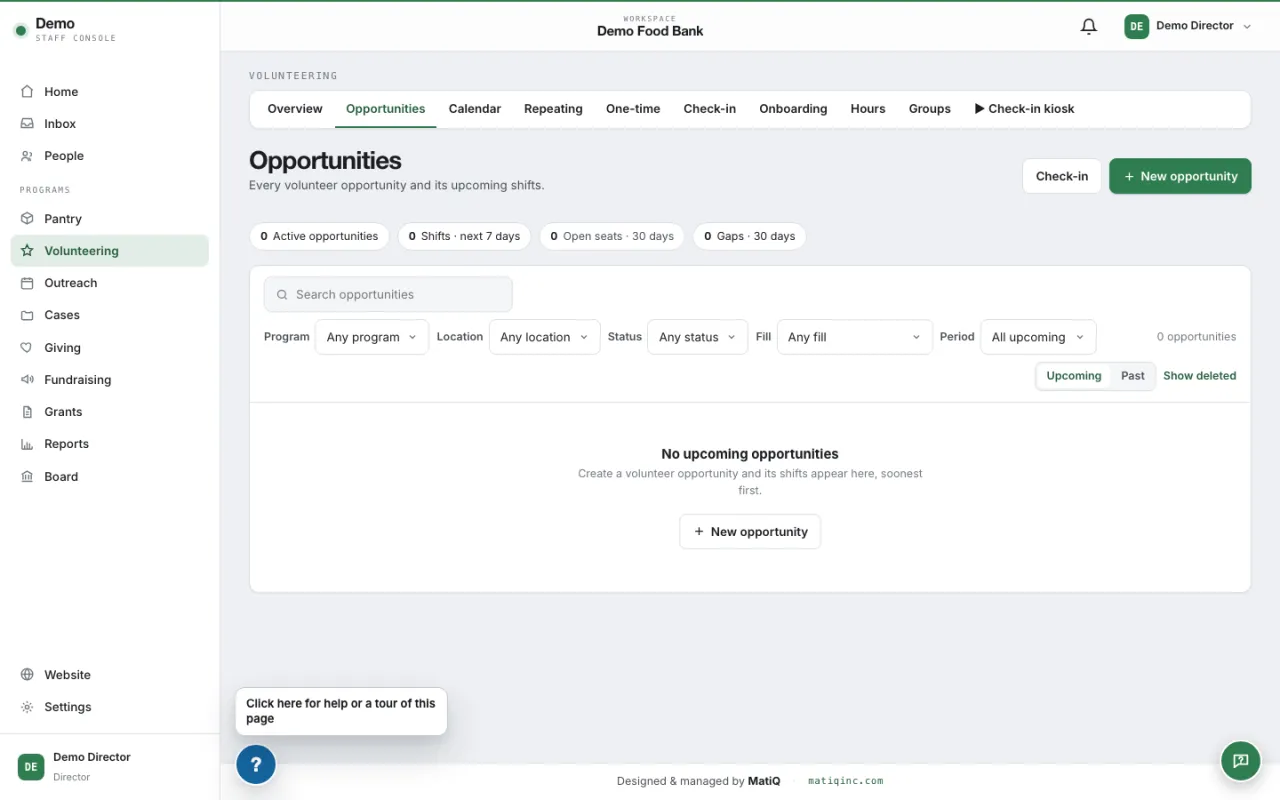
Volunteers
From a public opportunity board to signed waivers, check-in and recorded hours.
- Opportunities and shifts
- Create opportunities with one-off or repeating shifts, days off, age limits and waitlists.
- Sign-up
- Volunteers sign up on your website for themselves, their household or a group, and manage their shifts in the member portal.
- Waivers
- Adult and youth waivers in English and Spanish, signed online. Each signature keeps the exact text that was signed.
- Check-in
- A kiosk screen for a tablet at the door, with QR codes, records who arrived.
- Hours
- Hours are recorded from attendance, and volunteers can claim hours for staff to approve.
- Onboarding and background checks
- Set the steps a volunteer must finish before serving, and track background checks and when they expire.
Pantry
Run a food pantry from booking to the front desk, with stock kept in step.
- Booking
- Guests book a visit on your website. You set the programs, hours, special hours and the rules for who can book and how often.
- Front desk
- Check guests in, with or without an appointment, scan a QR ticket and record what each household received.
- Inventory
- Stock on hand is worked out from what was received and what was given out, by location and program, with counts and corrections kept in a ledger.
- Receiving
- Log donated and purchased food as it arrives, on a tablet, with the donor and your own categories and items.
- Mobile distribution
- Run a distribution away from your building and log the cars served.
Giving and email
See every gift in one ledger and write to the right people, with consent respected.
- Connects to your Givebutter account
- Donations are taken by Givebutter, not by MatiQ Thrive. Connect your Givebutter account and gifts, campaigns and recurring plans appear in your ledger and on each donor's profile.
- Gift ledger
- Every gift in one place, including ones you enter by hand, with campaigns and funds.
- Receipts and thank-yous
- Send receipts, and work through a queue of gifts still to be thanked.
- In-kind gifts
- Record donated goods with the values you set, linked to the stock they added.
- Templates in your brand in English and Spanish, broadcasts to an audience you choose, and automated sequences that start when something happens.
- Consent
- People choose which topics they hear about. Opt-outs are honoured on every send.
- Your sender address
- Email is sent from your own domain once you add the sender DNS records the console shows you.
Events and outreach
Publish events, take registrations and report on what happened.
- Events
- Publish events on your website with registration forms, and ticketed events through your Givebutter account.
- Rosters and check-in
- See who registered and check people in at the door with the event kiosk.
- Outreach reports
- Coordinators file an end-of-event report: who came, what was given and what was learned.
- Surveys and forms
- Ask the people you serve for feedback, and take contact and interest forms from your website into the console.
Case work
Keep case notes, goals and referrals private to the people who need them.
- Cases
- Open a case for a person, record assessments, set goals and track referrals.
- Case queue
- Staff see the cases waiting for them and what is due next.
- Case-manager portal
- Case managers from other agencies ask for an account and your staff approve it. They see only their own households, and can book pantry visits for them.
Grants and board
Track grants to their deliverables and give your board one place to read.
- Grants
- Each grant with its deliverables, sections, budget lines, files, payments and outcomes.
- Grant-writer access
- A grant writer signs in to the grants assigned to them and sees nothing else in the console.
- Board portal
- Board members sign in to read updates, see meetings and agendas, and open the meeting packet.
Reports
Numbers you can show a funder, drawn from the same records your staff use every day.
- Dashboards
- Charts and tables for volunteering, pantry, giving and events, for the dates you choose.
- Impact
- An impact dashboard and a printable impact report, and an impact page you can publish on your website once you have data to show.
- Compliance reports
- Food-program reporting for TEFAP and CSFP is built to Missouri's forms. It is off for a new account and MatiQ switches it on for the organisations that need it.
- Exports
- Download lists as spreadsheets. A Director can download the whole account at any time.
- Guided tours
- Step-by-step tours inside the console show staff how to do each job.
Be part of what comes next.
MatiQ Thrive is preparing for launch. Join the waitlist for updates and find out when your organisation can get started.
Join waitlist